
Create an QR code that show the exact location that you entered.
Paste coordinates directly from Google Maps.
Press Enter to generate
Location Preview
Download format
Free Location QR Code Generator
Generate QR codes that open a precise location in Google Maps. Simply enter the latitude and longitude of any place and create a QR code that works on Android, iPhone, tablets, and desktop devices.
How to use
1. Find the latitude and longitude of your destination.
2. Enter both coordinates into the generator above.
3. Your QR code is generated instantly.
4. Anyone who scans it will be taken directly to the location in Google Maps.
How to find latitude and longitude in Google Maps
Google Maps makes it very easy to obtain GPS coordinates. The process is slightly different depending on whether you are using a computer or a mobile device.
On Desktop
- Open Google Maps in your browser.
- Navigate to the location you want.
- Right-click the exact spot.
- Select the coordinates shown at the top of the menu, latitude will be the first and longitude will be the second number.
- Google Maps automatically copies them to your clipboard.
- Paste the coordinate in the coordinate field.
On Android
- Open the Google Maps app.
- Press and hold the location until a red pin appears.
- Swipe up the information panel.
- The latitude and longitude are displayed near the bottom.
- Copy them into the generator above.
On iPhone
- Open Google Maps.
- Touch and hold the desired location.
- A pin will appear.
- Swipe up the information panel.
- Copy the displayed coordinates.
What are latitude and longitude?
Latitude and longitude are GPS coordinates used to identify an exact point on Earth.
- Latitude measures how far north or south a location is.
- Longitude measures how far east or west a location is.
- Together they uniquely identify a location anywhere in the world.
Popular uses for Location QR Codes
- Business entrances
- Restaurants and cafés
- Hotels and Airbnb properties
- Wedding venues
- Events and conferences
- Parking lots
- Tourist attractions
- Real estate listings
- Emergency meeting points
How does a Location QR Code work?
Instead of storing text, the QR code stores a Google Maps location URL containing the latitude and longitude. When someone scans the QR code, their phone opens Google Maps and navigates directly to the destination.
Privacy
QRCodeChicken generates static QR codes entirely in your browser. Your coordinates are never sent to our servers, stored, or shared with anyone.
About QR Chicken
A free and fast QR code generator built for simplicity.
QR Code Chicken was created out of frustration with existing QR code tools that are slow, complicated, and filled with unnecessary features.
No clutter. No confusion. Just a simple tool that works.
Q&A
Learn About QR Codes
Understand how QR codes work, how to scan them, and learn about different QR code types.
Explore Guides →Support QRCodeChicken
QRCodeChicken is free to use and built independently. If the tool helped you, you can support future development through Ko-fi or Bitcoin.
☕ Support on Ko-fi
Fast and simple support through Ko-fi. Every donation helps keep QRCodeChicken free and improving.
₿ Bitcoin
Support the project directly with Bitcoin.
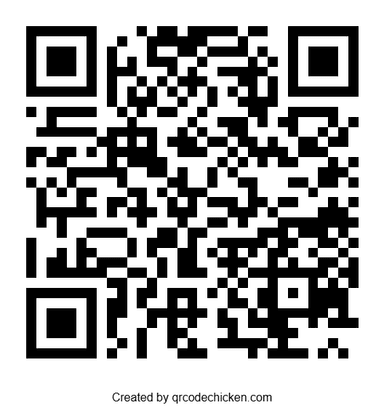
Wallet address
bc1qqyyr6qlywucvkm3cffpauw9tmregaafr7ahsw8ejhql2wga0nvtqvup9nq
Contact
Found a bug, have a suggestion, or need help using QRCodeChicken? Feel free to contact me directly.